Skip to product information
1 of 6

BimmerTech

BimmerTech BMW MINI Android Auto MMI Prime Retrofit

BimmerTech BMW MINI Android Auto MMI Prime Retrofit

Regular price $696.00
Regular price $852.00 Sale price $696.00
9th Anniversary Badge

Price Match

Notify Me When Available

In Stock

Receive your order by tomorrow if ordered within
00 hours
00 mins
00s.

Get It By

Receive your order tomorrow. Subject to availability.

Collect 0 points

Purchasing this product will earn you 0 loyalty points worth $0.00 USD.

Price Match Guarantee

If you find a lower price at an eligible UK retailer website, we will match it.

Fitting service at Xatrix, West Yorkshire

We can offer a fitting service for this part. Contact us for a fitting quote.

UNLOCK BIGGER DISCOUNTS WITH ML PLATINUM
Sign Up

Sign up now for FREE

View full details

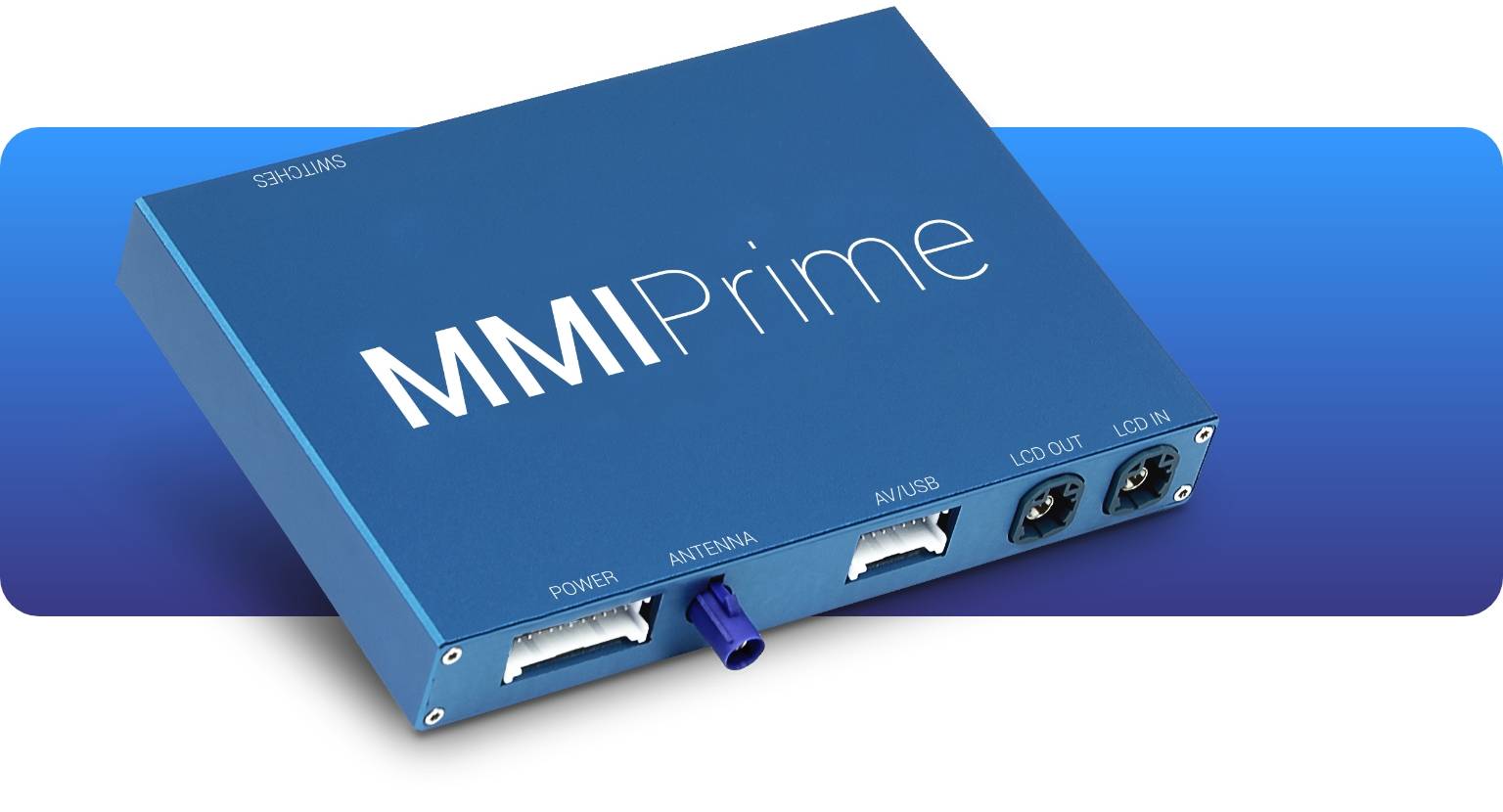
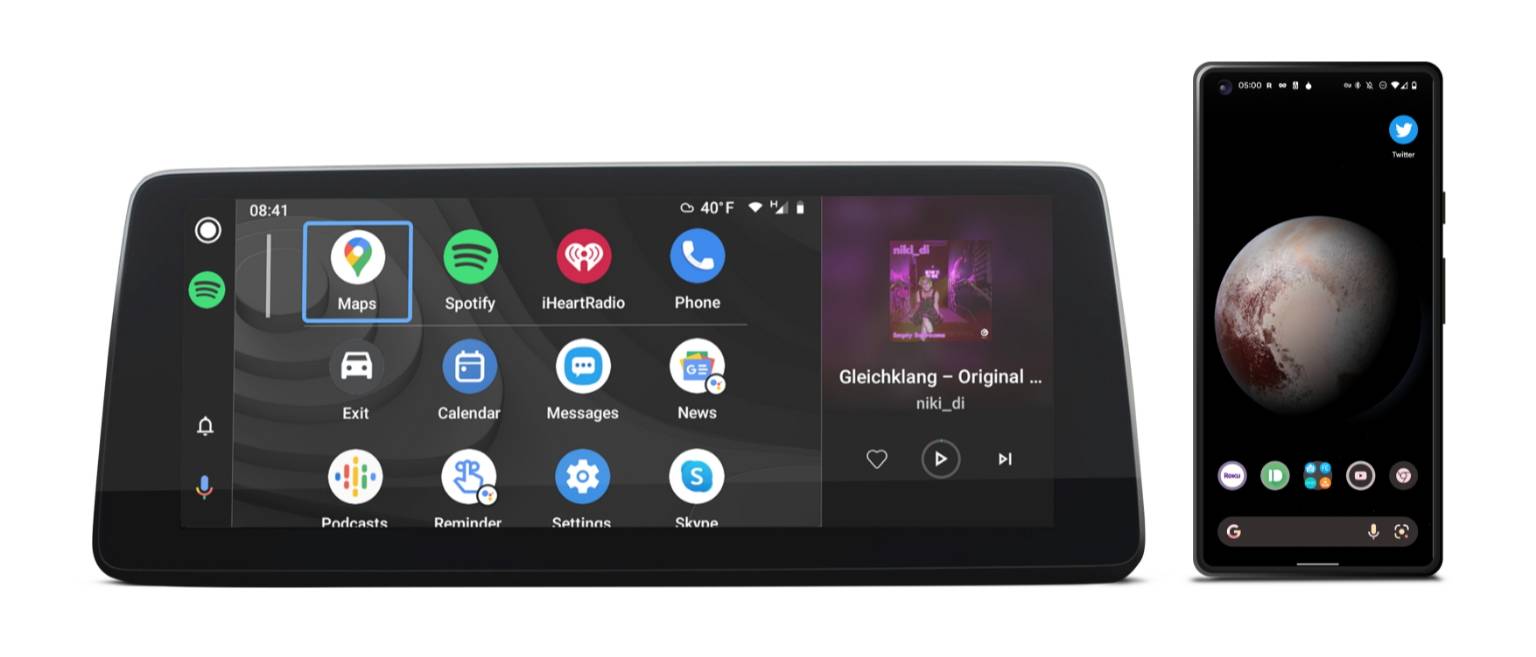
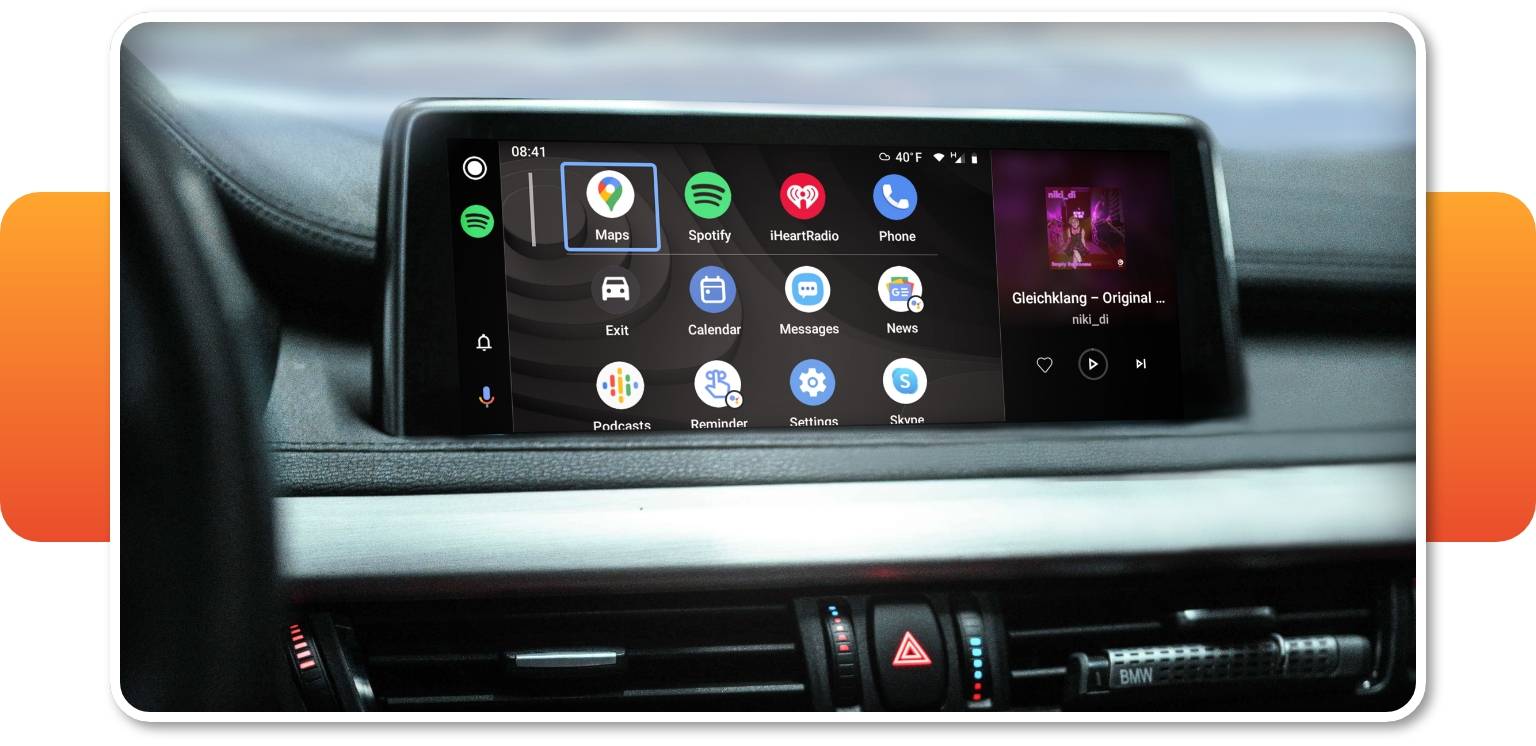
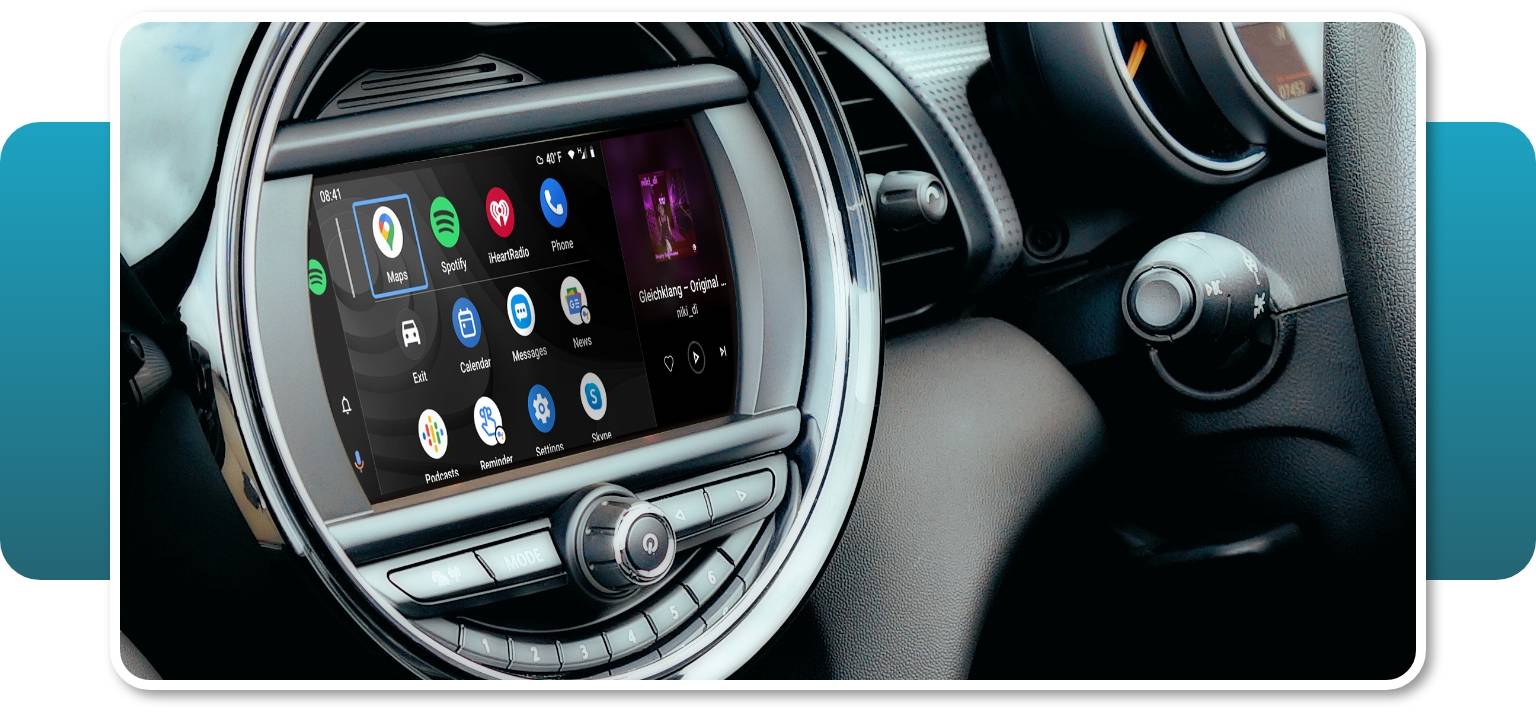
Android Auto MMI Prime is a multimedia interface bridging your phone with your BMW/MINI via cable or wirelessly. It fully integrates with your factory iDrive screen and control knob, and looks and works just like OEM Android Auto.

In order to use Android Auto for BMW or MINI, download the free Android Auto app from Google Play and enjoy plenty of your smartphone's apps in full screen on your BMW's or MINI’s native dashboard display (The screen is NOT included in the Android Auto MMI Prime kit).

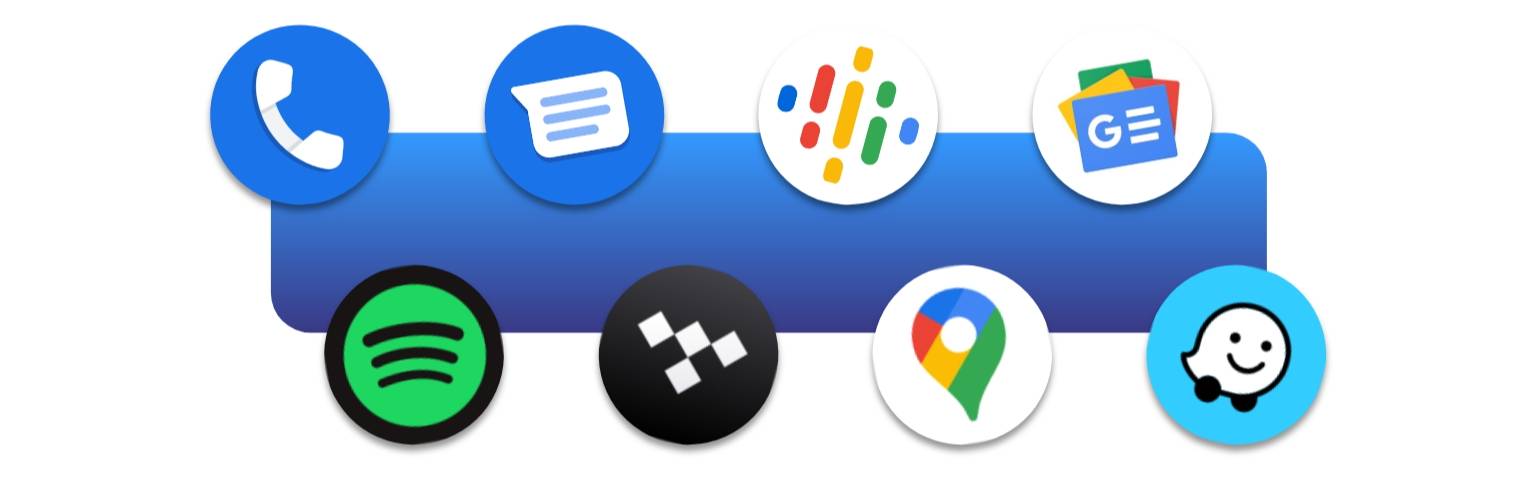
With plenty of apps at hand you can pick whether you prefer listening to your music or podcasts via Spotify, YouTube Music or others, safely stay in touch with your family through WhatsApp or Messages, and always go the quickest routes thanks to Google Maps or Waze without catching a ticket.

The kit for Android Auto-compatible cars contains a Multimedia Interface (MMI) that also adds Apple CarPlay functionality to your BMW or MINI to allow you display your favorite iOS apps on the screen. For maximum convenience, control and navigate between apps with your vehicle's built-in controls, or with your voice thanks to Google Assistant at just a press of a button.

Please note that it is not possible to play audio from CarPlay or Android Auto apps and audio from native iDrive apps (including radio and navigation) at the same time.


Access Phone Apps

The Android Auto retrofit for BMWs and MINIs gives you direct access to a host of your smartphone’s driver-focused apps including navigation, messaging, music, podcast and others.

Look up the entire BMW Android Auto apps list on the official Android Auto website.


Android Auto Navigation Apps

Since you want your maps to be kept accurate to the smallest detail, there’s no easier way to do it than with apps to which being up-to-date is second nature. Android’s Auto Google Maps, Waze, TomTom, Spot Hero, MapFactor or many others will show you the fastest and safest routes wherever you are in the world. At times, with no internet connection!


Android Auto Parking & EV Apps

Once you reach your destination, dedicated apps make it easier to find a convenient spot to park up or charge your electric vehicle. With solutions such as EasyPark or RingGo you’ll quickly reach the closest available carpark when you’re in a pinch. And using apps like PlugShare or ChargePoint always know where to head to charge up and at what cost.


Android Auto Music Apps

If you’re strongly attached to your favorite Spotify or YouTube music playlists, or an audiophile who respects nothing less than high-quality HiFi tunes from Tidal, Android Auto will let you carry over what used to be a smartphone convenience into your BMW. And if music isn’t enough for longer tours, a bunch of good podcasts from Audible or Stitcher may help you pass the time.


Android Auto Communication Apps

Undeniably, you’re on the slippery slope when texting on the highway, but thanks to Android Auto’s built-in Google Assistant support you can use your favorite messaging apps such as WhatsApp, Messenger or WeChat to send and receive messages without taking your eyes off the road… Or even lead conference calls on apps such as ICQ if you’re one of those high-flying executive types.


    Wireless Capability

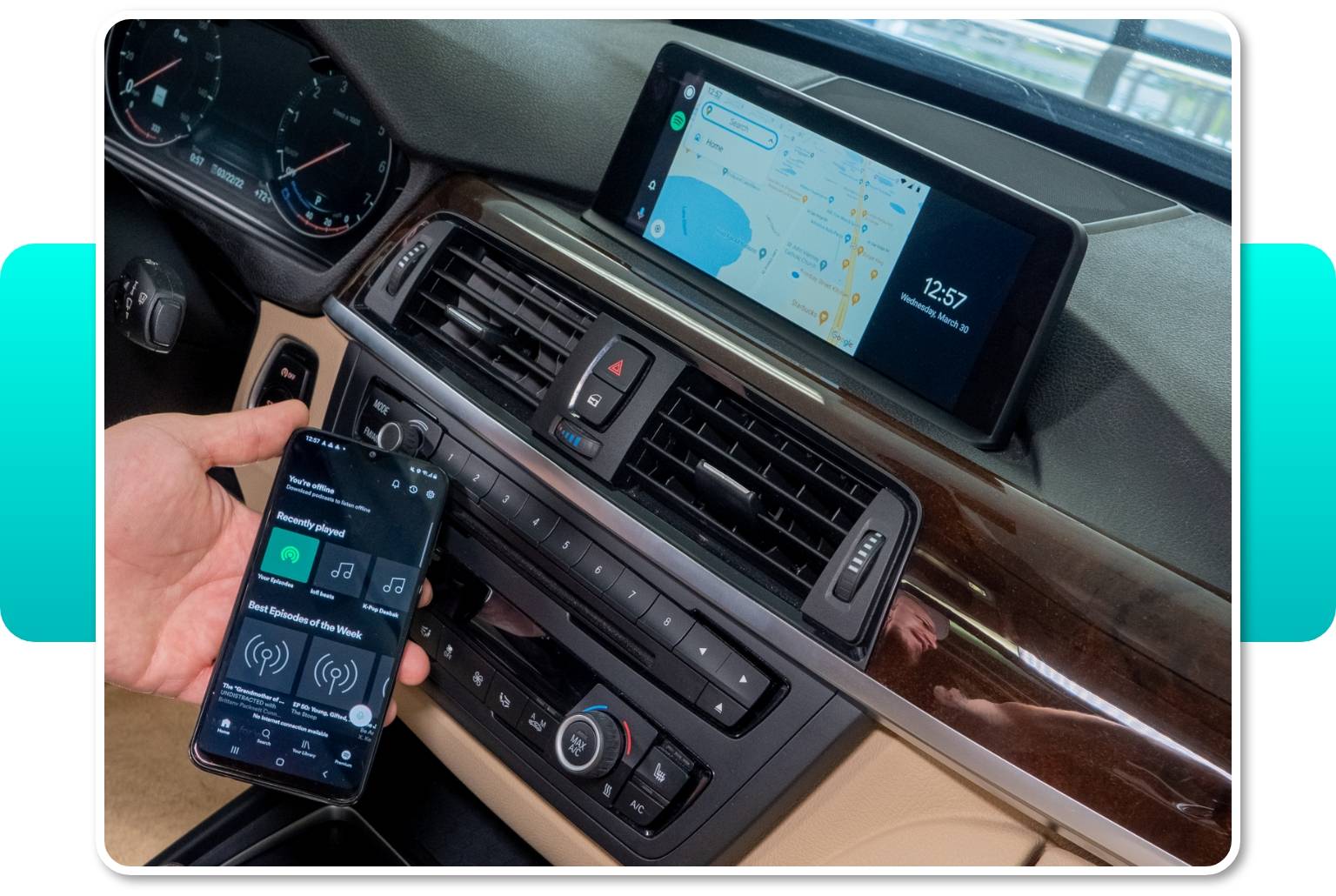
    Simply connect your Android phone either wirelessly or with the use of USB cable to our MMI Prime and start using Android Auto while charging your phone. To enjoy Android Auto wirelessly your phone has to support the wireless Android Auto. If it doesn't, you'll still be able to use the Android Auto via USB - just make sure you have the Android Auto app installed.

    It's possible to use Android Auto wirelessly with any of the following phones:

    • Pixel or Pixel XL | Android 8.0 or higher
    • Pixel 2 or Pixel 2 XL | Android 8.0 or higher
    • Pixel 3 or Pixel 3 XL | Android 8.0 or higher
    • Pixel 4 or Pixel 4 XL | Android 10.0 or higher
    • Nexus 5X or 6P | Android 8.0 or higher
    • Samsung Galaxy S8 or S8+ | Android 9.0 or higher
    • Samsung Galaxy S9 or S9+ | Android 9.0 or higher
    • Samsung Galaxy S10 or S10+ | Android 9.0 or higher
    • Samsung Note 8, Note 9 and Note 10 | Android 9.0 or higher
    • Other phones | Android 11.0 or higher


      Phone Compatibility

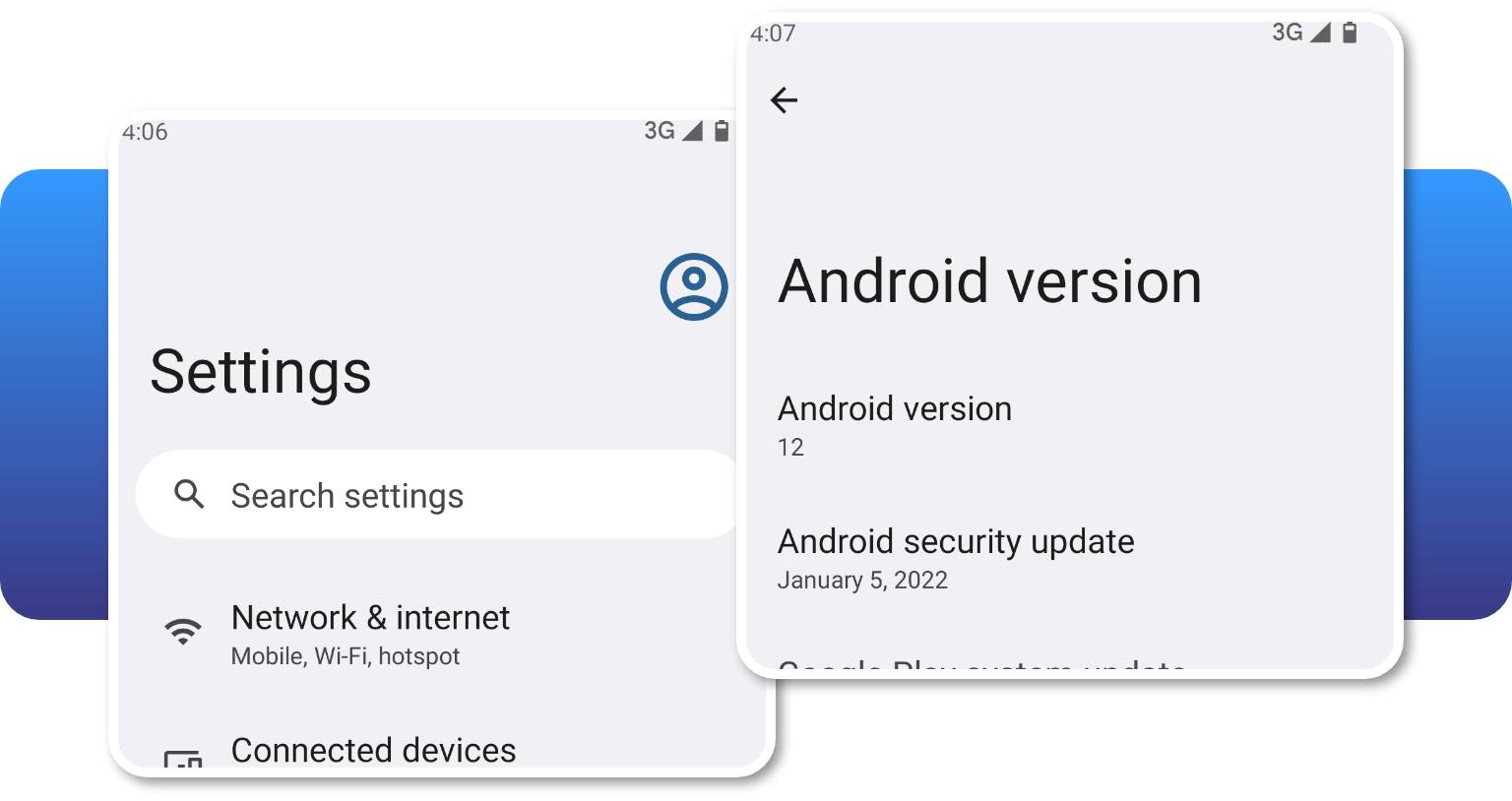
      Our Android Auto MMI Prime retrofit is compatible with all Android smartphones that support Android Auto app. According to Android Auto that would be a smartphones running Android 5.0 (Lollipop) and up with a data plan. For best performance, the Android Auto team recommends Android 6.0 (Marshmallow) and up. You can check your phone's software version by looking at the About Device section under Settings.

      If the Android Auto app isn't available in your Google Play account due to the regional limitations, you can download the .apk file from an alternative source, such as Android Auto APKs, which is the main website containing all Android Auto app versions. Check if the Android Auto app is available for your region.
       

      USB Multimedia & Charging Port

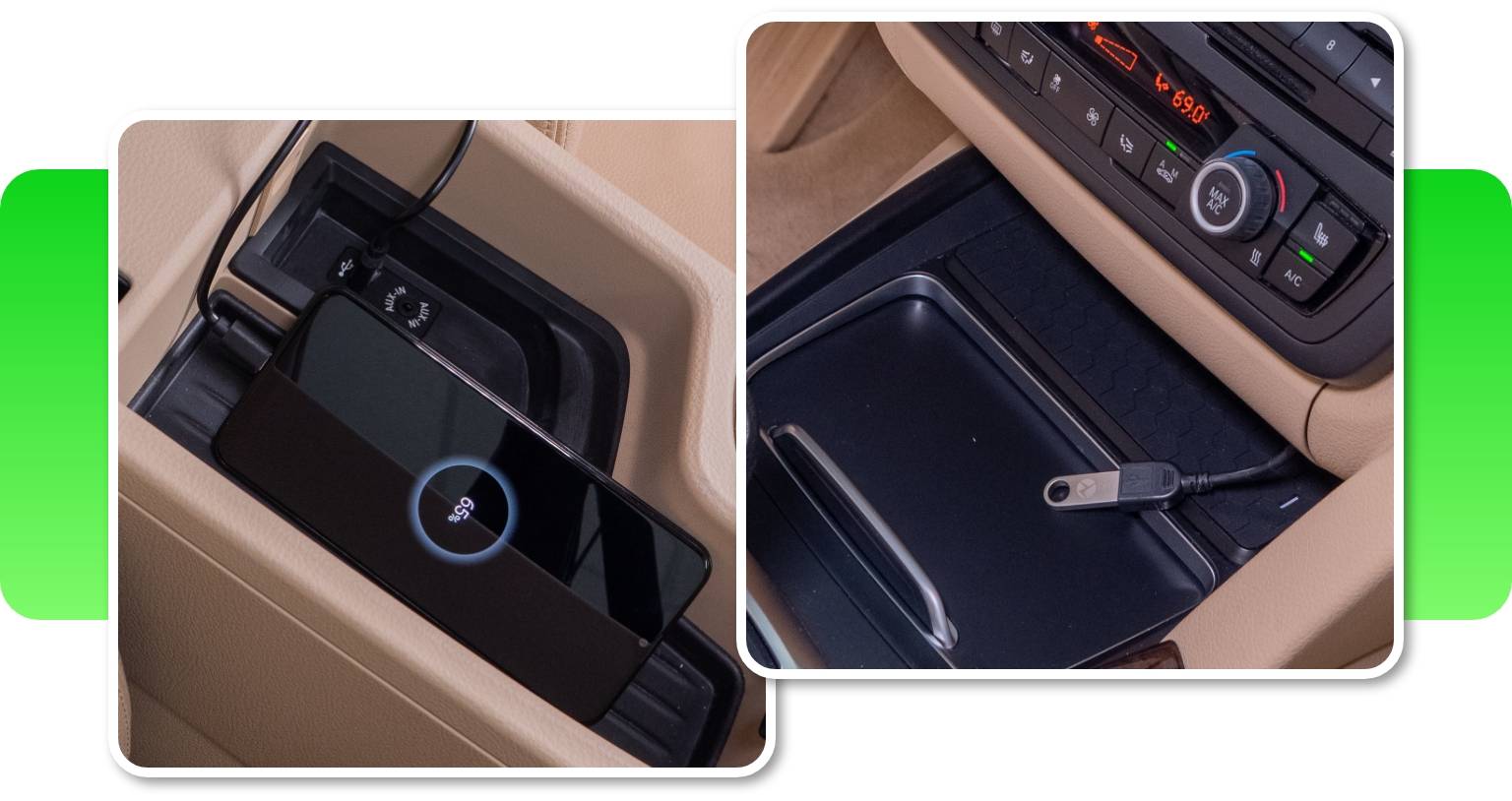
      Our BMW Android Auto upgrade comes with a USB port. It lets you charge your smartphone on longer drives, or can also be used for playing videos and music files on your iDrive Screen from a USB thumb drive. What's more, it's important for future software updates. So, if you won't be using it to enjoy multimedia - make sure to place it in an accessible location.


      BMW Android Auto Full Screen Mode

      Android Auto MMI Prime lets you use your favorite Android Auto apps on the original BMW display in full-screen. The retrofit's 1280x480 resolution for big screens and 800x480 resolution for small screens look just great on all screen sizes. 


      Note that in MINIs with a rounded screen, a small part of each corner of the Android Auto interface will be obscured when using full-screen mode.


      Screen Mirroring

      The Full-Screen mode also includes a Screen Mirroring option, which lets you cast the screen of your mobile device onto the BMW's or MINI’s display, and stream audio through the car speakers with the help of the Android Autolink app. This function is especially convenient if you want to stream a video from YouTube.
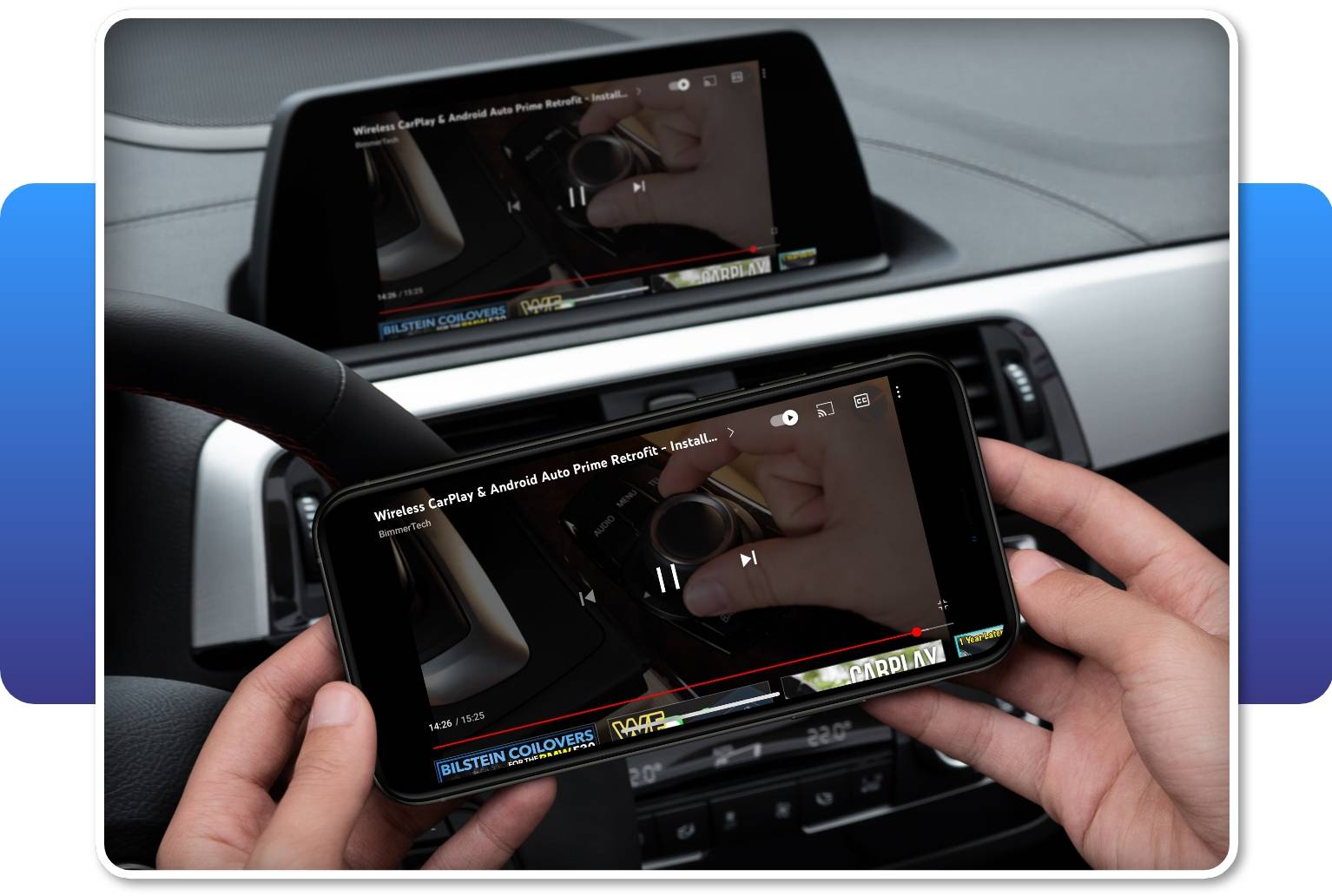


      Please note that mirroring of some apps or content using the Screen Mirroring feature may be blocked due to the copyright-holder's DRM. BimmerTech is not responsible for the continued compatibility of any third-party apps with Android Auto MMI Prime.


      Easy Control With iDrive

      To navigate the Android Auto apps, you can use your factory microphone for Google Assistant, the iDrive controller or even the steering wheel buttons, apart from the roller button.
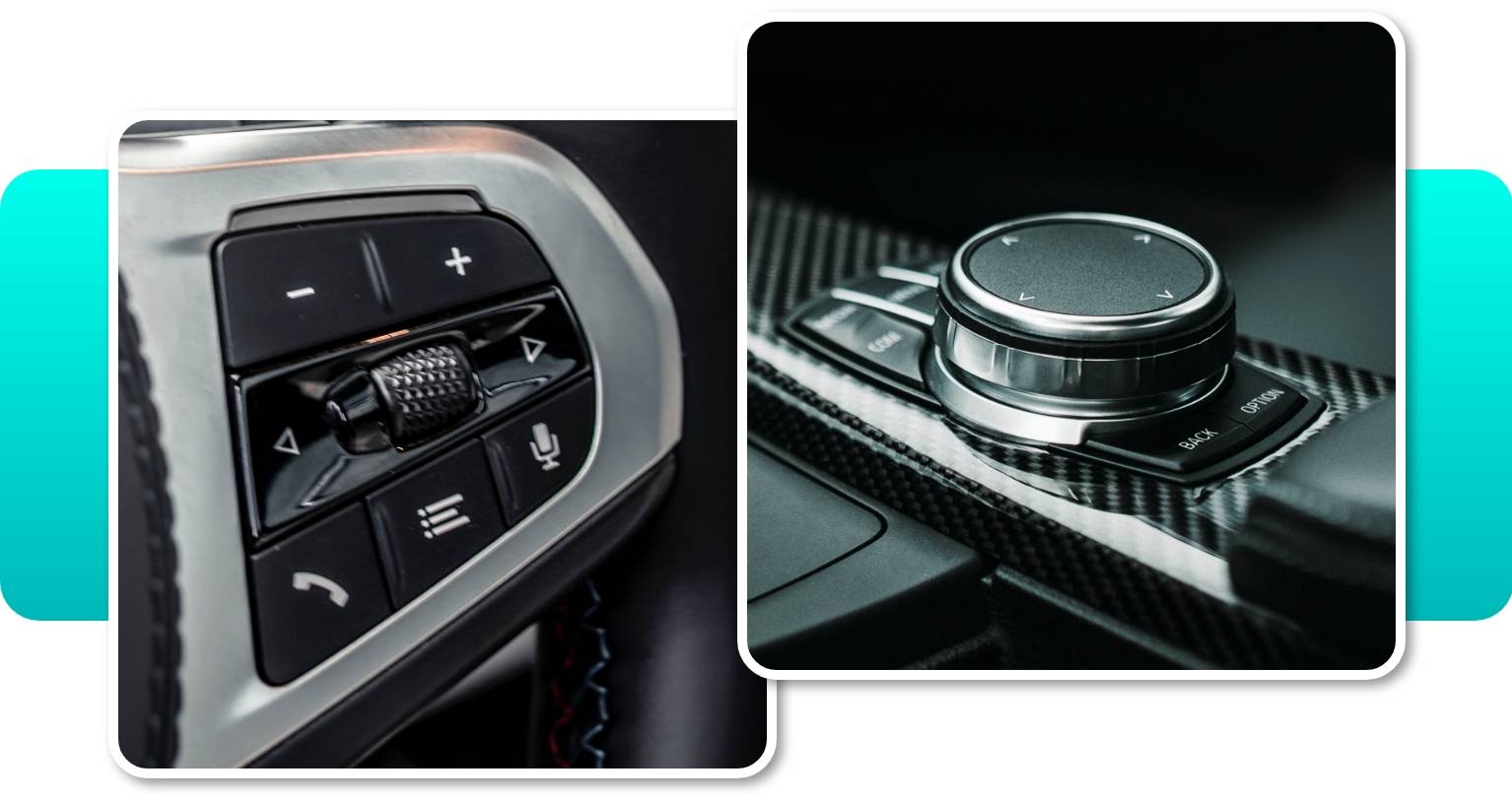

      Android Auto MMI Prime isn’t compatible with touch function, however safely controlling the device with the steering wheel buttons, iDrive controller and Siri/Google Assistant still offers plenty of convenience.


      Wireless CarPlay Support

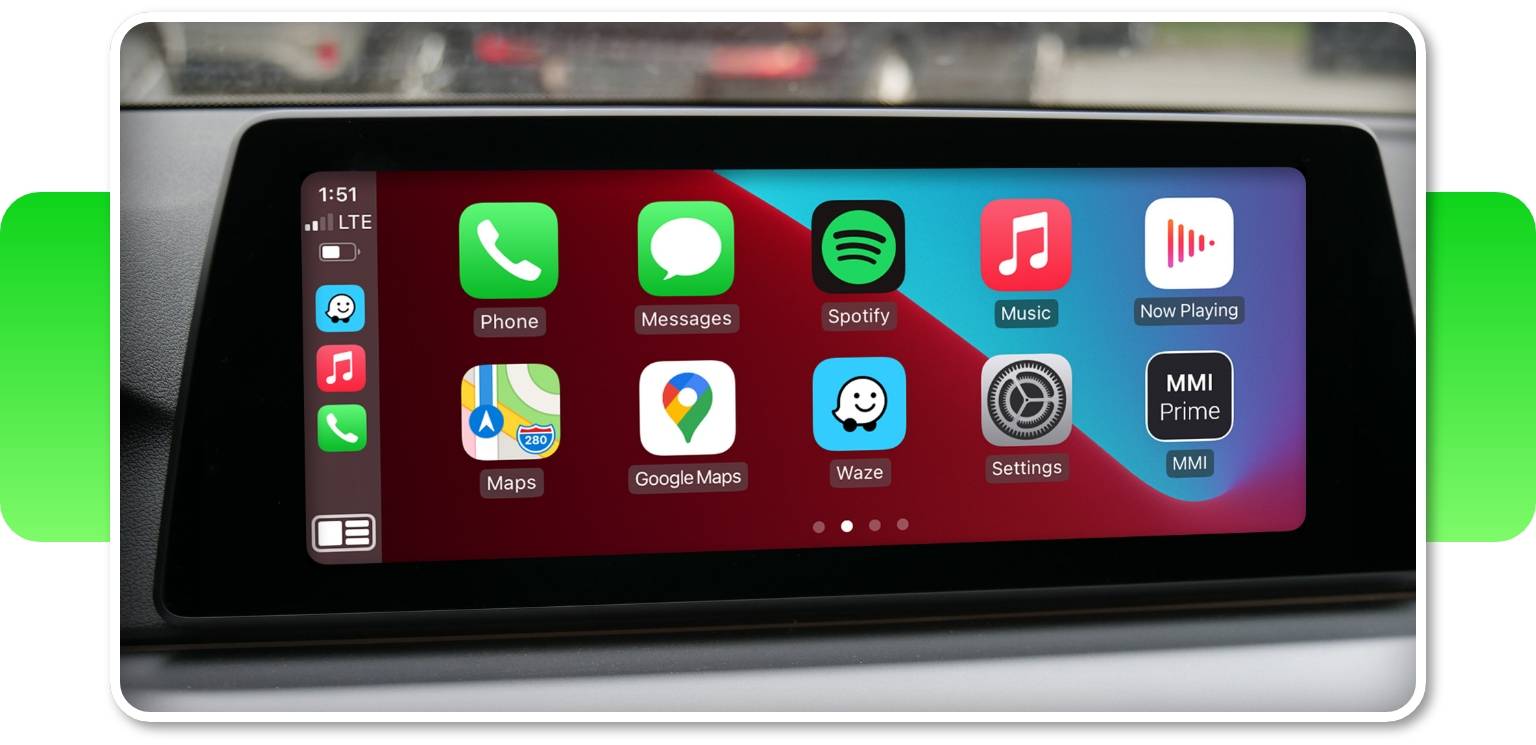
      The kit contains a Multimedia Interface (MMI) — a module that also adds CarPlay to your BMW or MINI. So if you have family members or friends with iPhones, connecting their devices will be a breeze too! Following their preferences, they'll be able to connect their iPhones with the use of USB or wirelessly.
       

      Integration With Front & Rear View Cameras

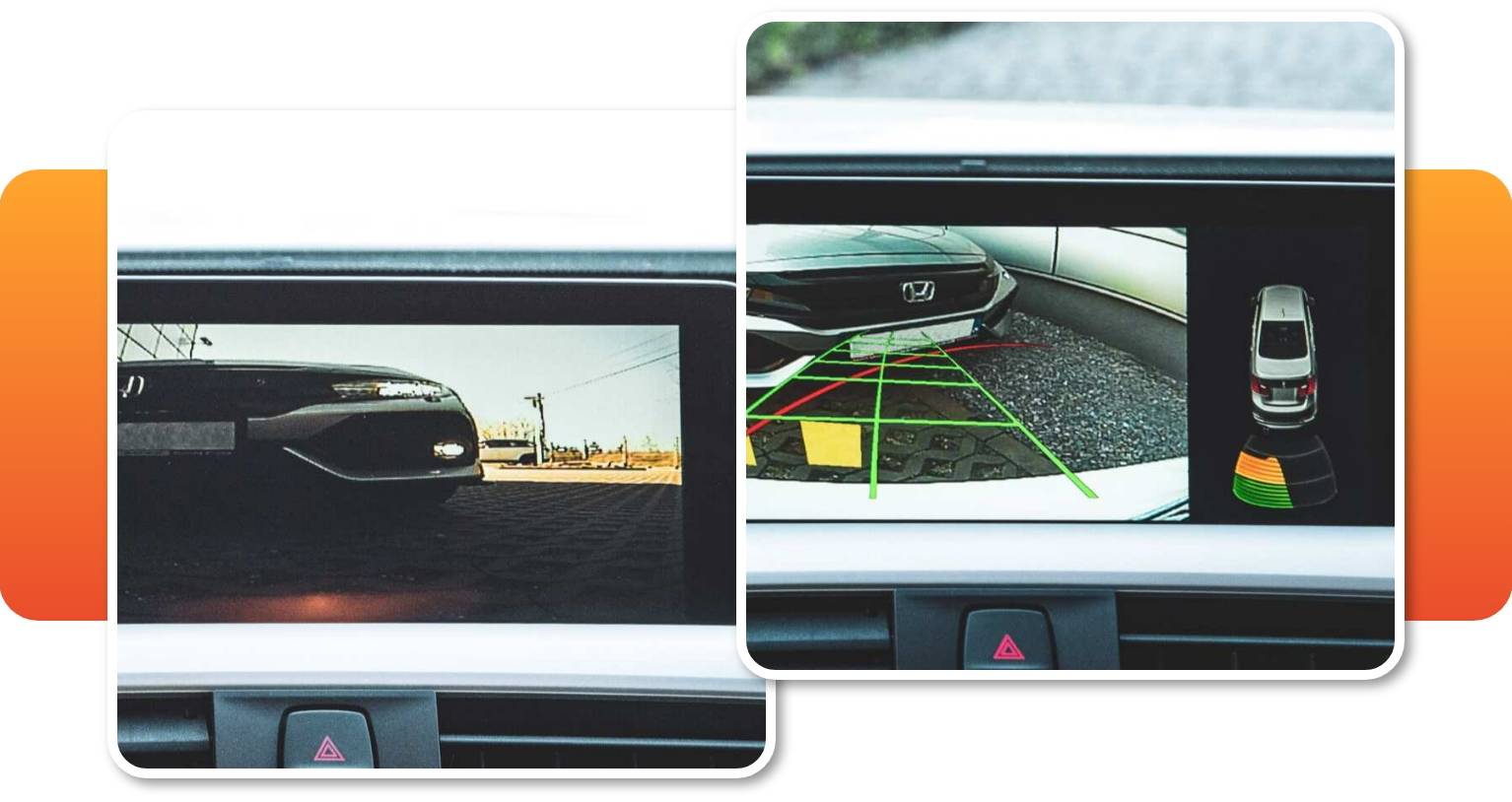
      The MMI module makes it easy to add a front and reversing cameras to your order for a much lower price. The front view camera can be activated by holding the Option button for 2 seconds. To exit the camera mode, just press Back. It can also be set up to appear automatically on the screen for up to 20 seconds when the gear is shifted from Reverse to Drive.


      High-quality Audio With An Equalizer

      The audio output circuit in the Android Auto MMI Prime has been specifically selected to squeeze all the quality we can out of the iDrive AUX input, providing great audio quality for music and streaming. Something that’s also upgraded in our MMI Prime for CIC is the enhanced quality of phone calls — we’ve managed to reduce reverberation for the comfort of clear and undisturbed conversations. If your vehicle is not equipped with an AUX input in Media/Radio, we’ll have to code it.
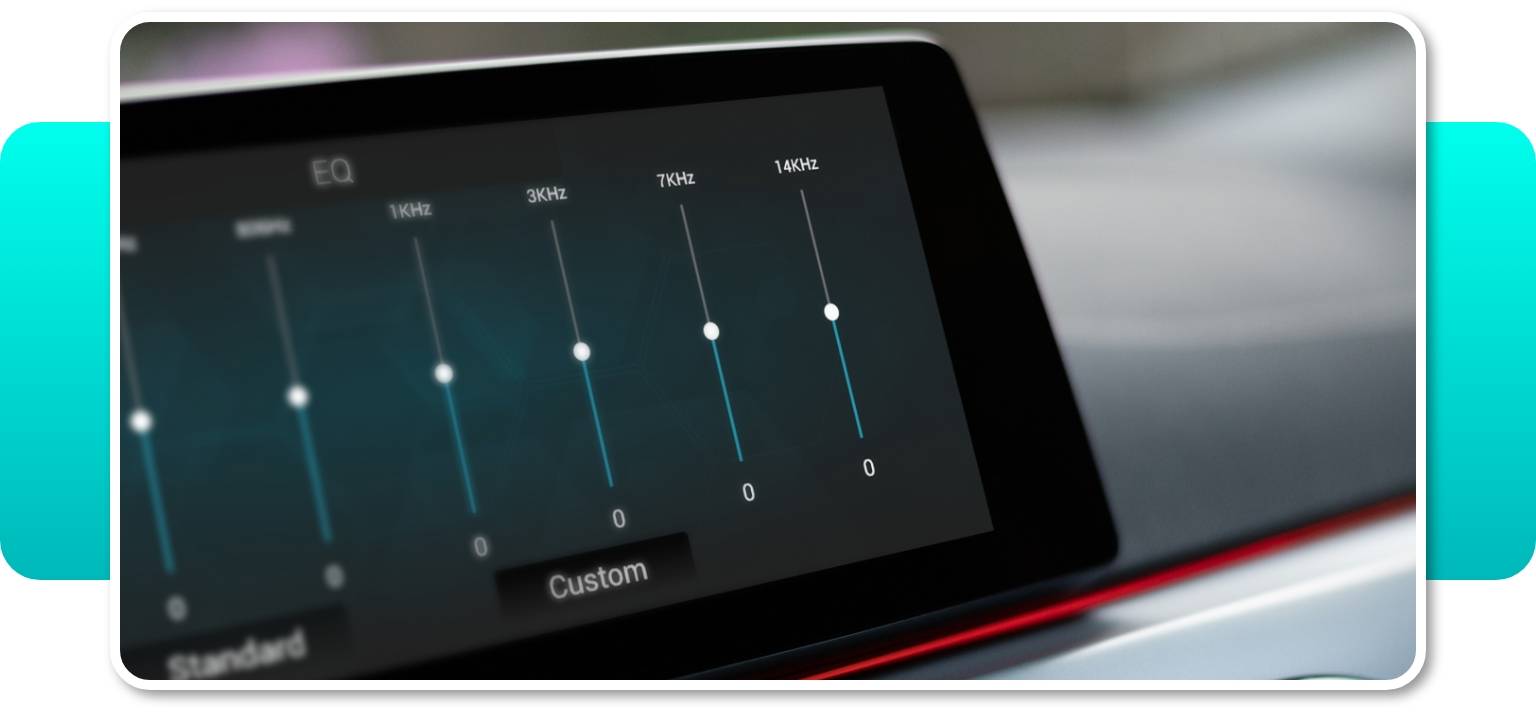

      The MMI also features a built-in 8-band equalizer allowing you to adjust the sound to your musical preferences. Whether you like more bass and less treble, or the other way around, you can easily set it up in the MMI menu. It is a great feature especially if you don't have a multi-band Equalizer in your BMW iDrive system or MINI Connected.


      MINI Cooper Android Auto

      If you own a MINI that lacks the original Android Auto and Apple CarPlay features, our MINI Cooper Android Auto upgrade will equip even your 2011 (or newer) model with these functions. Enter your VIN to check compatibility.


      Android Auto MMI Prime software

      We’re always working on improving our Android Auto MMI Prime, with regular software updates to unlock new features. Updating your software is easy, and can be done through the included USB port.

      The number of the latest software version available to update for your NBT iDrive system – v3.1.1.8.mmi.b.


            BimmerTech’s Android Auto MMI Prime upgrade is compatible with F-series cars with newer or older iDrive generations (e.g. ENTRY, ENTRYNAV, CHAMP2, NBT, NBT EVO ID4, etc.). It also requires Bluetooth or Voice Control features.

            Please provide your VIN at Checkout for verification

            • BMW 1 Series: 
              • Convertible E88 (2006-2013) 
              • Coupé E82 (2006-2013), 
              • 3-door Hatchback E81 (2006-2011), 
              • 5-door Hatchback E87 (2006-2011), 
              • 5-door Hatchback F20 (2010-2018), 
              • 3 - door Hatchback F21(2010 - 2018), 
              • Sedan F52 (2015-2018); 
            • BMW 2 Series: 
              • Active Tourer F45 (2013-2018), 
              • Convertible F23 (2014-2018), 
              • Coupe F22 (2012-2018), 
              • Coupe M2 F87 (2014-2018), 
              • Grand Tourer F46 (2014-2018), 
              • Gran Coupe F44 (2019-2021); 
            • BMW 3 Series: 
              • Coupe E92 (2005-2013), 
              • Convertible E93(2005 - 2013), 
              • Gran Turismo F34(2012 - 2018), 
              • Sedan E90(2004 - 2012), 
              • Sedan F30(2011 - 2018), 
              • Sedan F35(2011 - 2018), 
              • Sedan M3 F80(2012 - 2018), 
              • Touring E91 (2004 - 2012), 
              • Touring F31(2011 - 2018), 
              • Sedan G20 (2018-); 
            • BMW 4 Series: 
              • Convertible F33 (2013 - 2017), 
              • Coupé F32 (2012-2018), 
              • Gran Coupé F36 (2013-2018), 
              • M4 Convertible F83 (2013-2018), 
              • M4 Coupé F82 (2013-2018); 
            • BMW 5 Series: 
              • Gran Turismo F07 (2008-2017), 
              • Sedan E60 (2001-2010), 
              • Sedan F10 (2009-2016), 
              • Sedan G30 (2015-2018), 
              • Sedan M5 F90 (2016-2018), 
              • Touring G31 (2016-2018), 
              • Wagon E61 (2002-2010), 
              • Wagon F11 (2009-2017); 
            • BMW 6 Series: 
              • Convertible E64 (2002-2010), 
              • Convertible F12 (2009-2018), 
              • Coupé E63 (2002-2010), 
              • Coupé F13 (2010-2015), 
              • Gran Coupé F06 (2011-2018), 
              • Gran Turismo G32 (2016-2018), 
              • Gran Turismo G32 (2017-2020); 
            • BMW 7 Series: 
              • Hybrid F04 (2008-2012), 
              • Long Sedan E66 (2000-2008), 
              • Long Sedan E67 (2002-2008), 
              • Long Sedan F02 (2007-2015), 
              • Long Sedan F03 (2008-2012), 
              • Long Sedan G12 (2014-2018), 
              • Sedan E65 (2000-2008), 
              • Sedan F01 (2007-2015), 
              • Sedan G11 (2014-2018), 
              • Sedan G12 (2015-2020); 
            • BMW 8 Series: 
              • Convertible G14 (2019-2020), 
              • Coupe G15 (2019-2020); 
            • BMW X1 Series: 
              • Crossover E84 (2008-2015), 
              • Crossover F48 (2014-2018), 
              • Crossover F49 (2014-2018); 
            • BMW X2 Series: 
              • SUV F39 (2016-2018); 
            • BMW X3 Series: 
              • SUV E83 (2003-2010), 
              • SUV F25 (2009-2017), 
              • SUV G01 (2016-2018); 
            • BMW X4 Series: 
              • Crossover F26 (2013-2018), SUV G02 (2019-2020); 
            • BMW X5 Series: 
              • SUV E70 (2006-2013), 
              • SUV F15 (2012-2018), 
              • SUV F85 (2013-2018), 
              • SUV G05 (2019-2020); 
            • BMW X6 Series: 
              • Crossover E71 (2007-2014), 
              • Crossover F16 (2013-2018), 
              • Crossover M F86 (2013-2018), 
              • Hybrid E72 (2008-2011), 
              • SUV G06 (2020-2020); 
            • BMW X7 Series: 
              • SUV G07 (2019-2020),
            • BMW Z4 Series: 
              • Roadster E89 (2008-2016), 
              • Roadster G29 (2019-2020); 
            • MINI: 
              • Clubman F54, 
              • 5-Door Hatch F55, 
              • 3-Door Hatch F56, 
              • Convertible F57, 
              • Countryman F60, 
              • Paceman R60, 
              • Paceman R61; 


            To ensure the part(s) you have ordered fits your vehicle, we run a compatibility check prior to dispatch. We can do this either using your registration number(UK) or the last 7 digits of your VIN. Simply enter your car details prior to checkout.


            The installation of the BMW remote start retrofit kit takes up to 4 hours and doesn’t involve coding. Also, no permanent modifications are needed, so the kit is completely lease-friendly. 

            It requires disassembly of the front passenger's footwell areas to get to the electronic module (depending on your vehicle it may be FEM, CAS4, BDC1), that’s why it’s best to take your time, be gentle, careful and diligent in keeping track of which screw and clip came from where in order to reinstall the parts correctly. If needed, the process is 100% reversible.


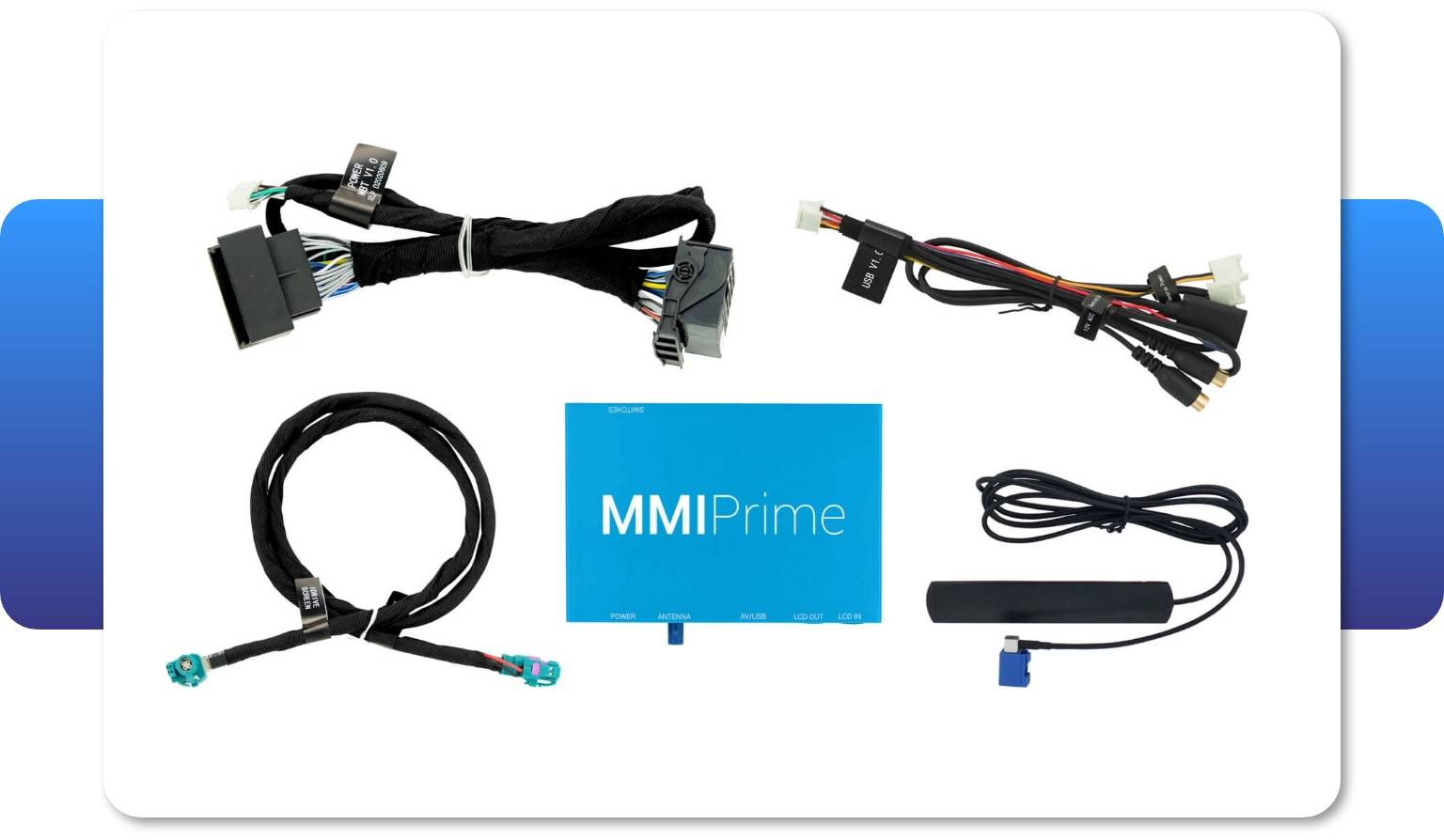
            The kit includes all parts necessary for a complete installation:

            • MMI
            • Wiring harness

            Keep in mind, the screen is NOT included in the CarPlay MMI Prime kit.


            Easy Plug & Play Installation 

            Android Auto MMI Prime/PRO retrofit for BMW and MINI Cooper is customized for each model individually due to the different configuration of every vehicle. However, no matter your car specifications, our BMW Android Auto upgrade is always fully plug & play, doesn’t require any permanent modifications to your vehicle and thus is completely lease-friendly. It shouldn’t void your warranty either – yet this is contingent on local regulations and warranty clauses.

            To connect your external video playback device, simply plug in the HDMI cable to the HDMI port on the back of MMI Prime/PRO and connect the device’s power cable to the USB-C port of the MMI.

            Depending on your vehicle specifications the installation of the kit may take from 2h up to 4h. It is 100% reversible.

            You can also choose to install the upgrade by yourself or hand it to professional installers. 


            Step-by-step Instructions

            Our precise PDF instructions, videos and dedicated tech support will make it easy for you to follow the process if you decide to DIY. The PDF installation instructions appear in the personal account within 72 hours after the purchased product is shipped. 

            If you wish to read the full Android Auto MMI Prime/PRO description and know more about Android Auto compatibility for your exact vehicle, type in your VIN.


            Professional Support 

            In case you decide to proceed with a DIY process remember – you won’t be left alone in this! Our technical support team is always ready to help you out with any issue you might have. Just email our experts at support@bimmer-tech.net and expect a reply within 24h.


            Manufactured by

            BimmerTech


            • Price Match Guarantee

              We are committed to giving you the best price. if you find a lower price on the same item at an eligible UK retailer website, we will match it.

            • Next Day UK Delivery

              For in-stock item, get guaranteed next day UK delivery. Same day dispatch available on in-stock items if your order is placed before 1pm UK Time.

            • Worldwide Shipping

              We ship worldwide via DHL International, simply enter your full address at checkout to see the shipping option(s) and quote(s). Same day dispatch available if your order is placed before 1pm UK Time on all in stock items!